<img src="https://tags.srv.stackadapt.com/rt?sid=lX5TOPixR5KulOF6nylJTQ" width="1" height="1">
Skip to the main content.
← Blog Home

1 min read

The CAPTCHA That Installs Malware

The CAPTCHA That Installs Malware
2:20


You have clicked "I'm not a robot" boxes a thousand times without thinking. Scammers built a fake one. 

A new CAPTCHA threat has emerged as the latest scam we must address in our continued efforts to stay safe online. It looks like the verification check you see every day, but instead of picking traffick lights, it asks you to press a few keys. Those keystrokes quietly install software that steals your saved passwords. Scammers call it "ClickFix," and it works on Windows and Mac. 

Here's a start-to-finish view of what this threat looks like so you can safeguard against it.

Step 1: You open a normal-looking page.

You click on a search result, an email link, an ad, or a real site that has been hacked. Nothing feels wrong yet.

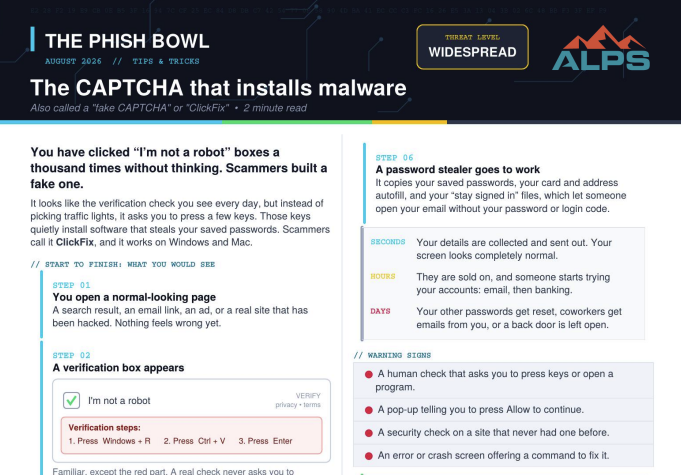
Step 2: A verification box appears.

The-Phish-Bowl-fake-captcha

You're redirected to a CAPTCHA verification. It looks familiar, except for the red part. A real CAPTCHA check never asks you to press keys.

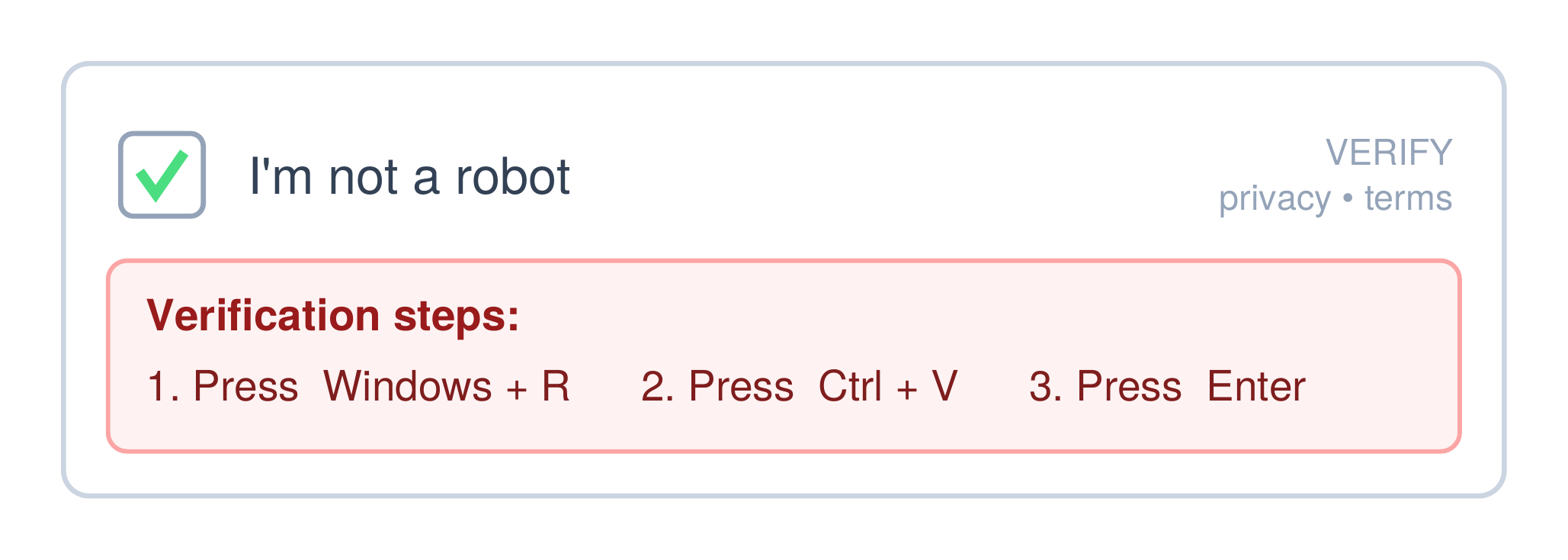
Step 3: A command is copied without your knowledge.

The-Phish-Bowl-clipboard

The site loads a hidden command onto your clipboard in the background. You didn't copy anything, but the command is now sitting on your clipboard. 

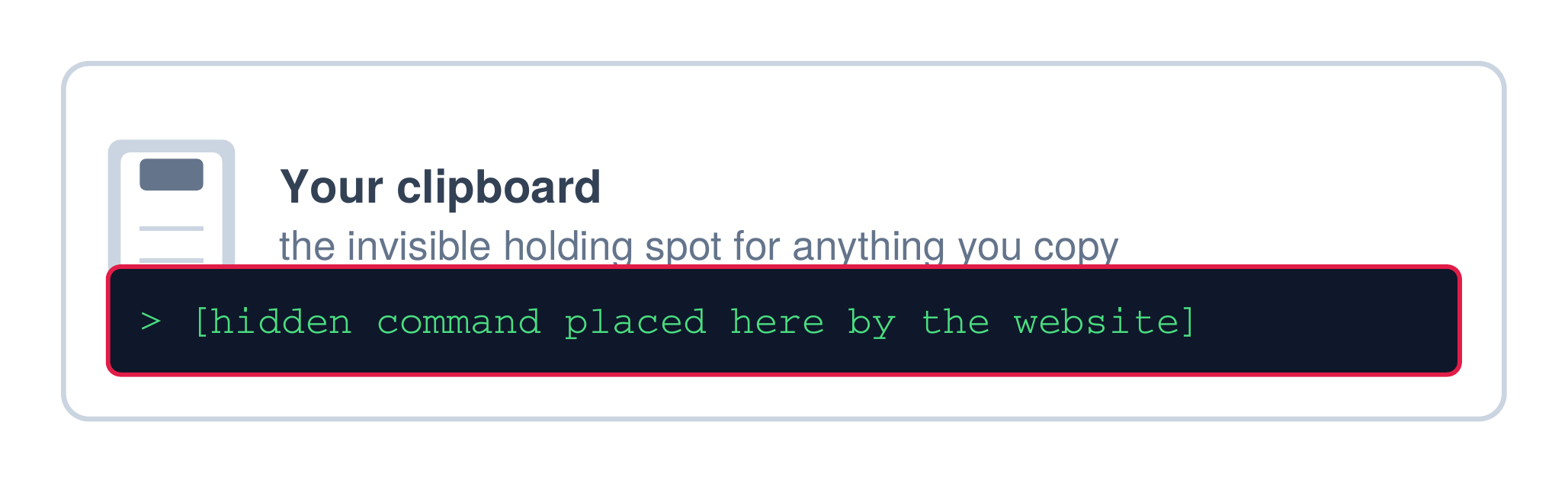
Step 4: You press the three keys.

Screenshot 2026-08-11 at 2.28.23 PM

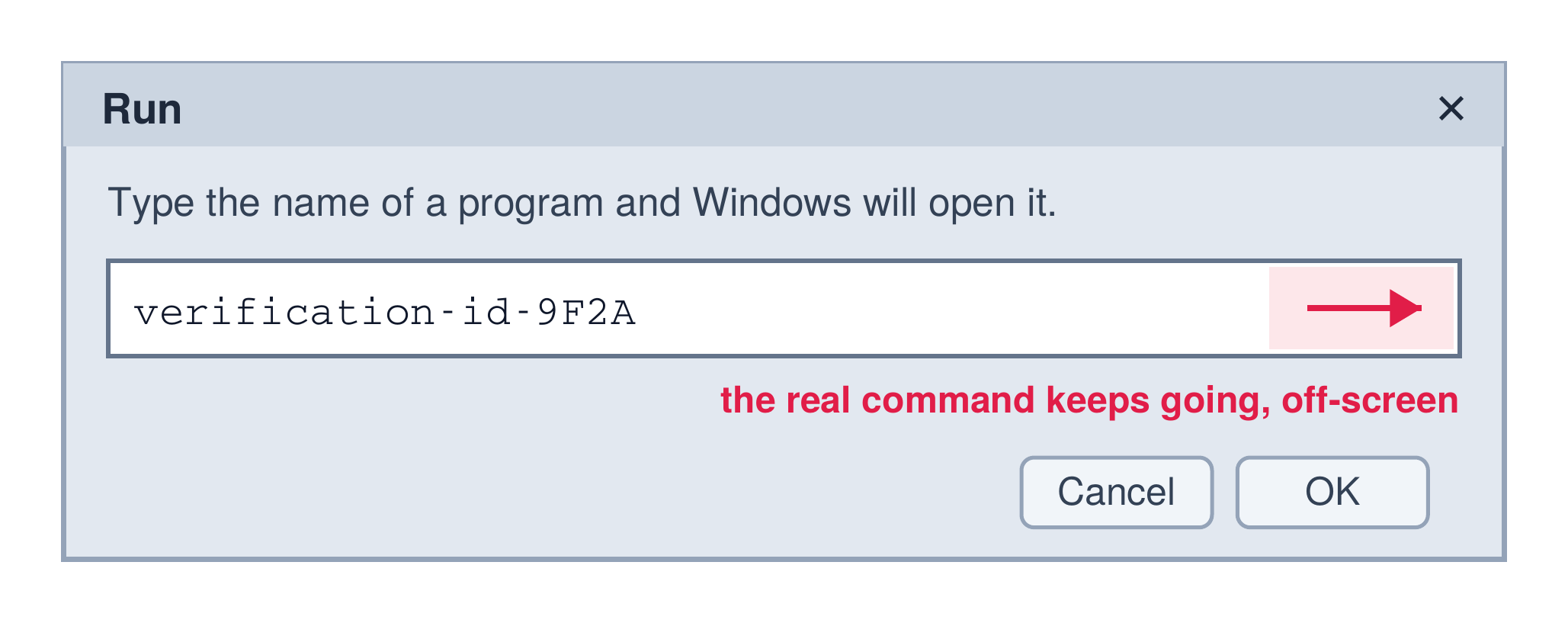
Step 5: The box hides the actual command your system is running.

The-Phish-Bowl-run-box

Padded with a blank space so that you'll only see a harmless code, the real command keeps going offscreen and Antivirus may not step in. 

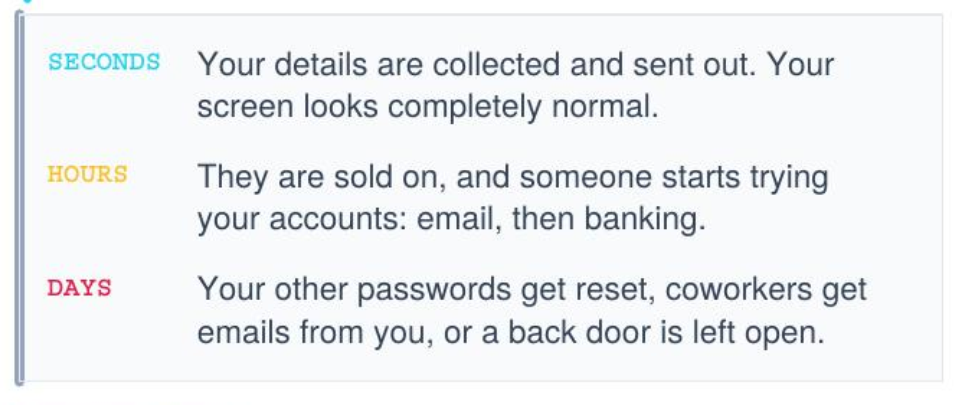
Step 6: A password stealer goes to work. 

The command now running on your computer scrapes your saved passwords, your credit card and address auto-fills, and your "stay signed in" files, which let someone open your email without your password or login code. 

Screenshot 2026-08-11 at 2.28.45 PM

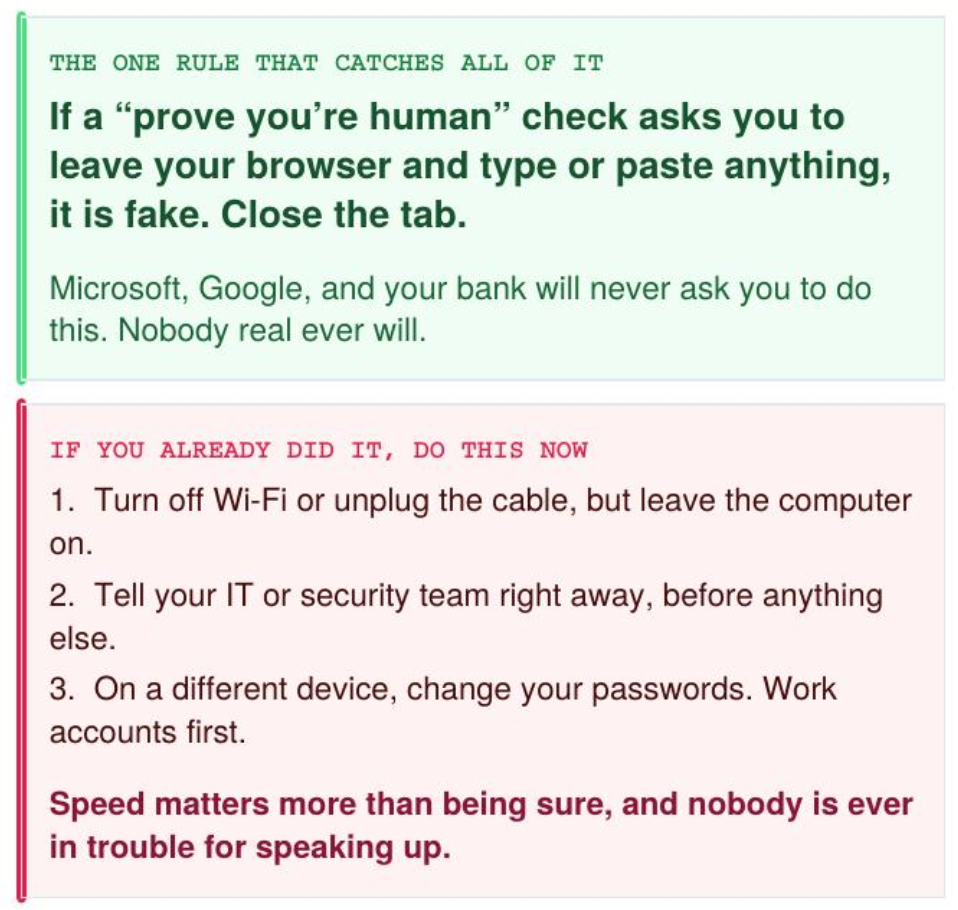
Warning Signs to be Wary Of

  • A human-verification check that asks you to press keys or open a program
  • A pop-up that tells you to press "Allow" to continue
  • A security check on a site that did not have one before
  • An error or crash screen that offers a command to fix it

Screenshot 2026-08-11 at 2.29.34 PM

Sources:

Why Shadow AI is a Problem for Law Firms

1 min read

Why Shadow AI is a Problem for Law Firms

Remember Shadow IT? Well say 'hello' to its pal, Shadow AI There were plenty of articles written about Shadow IT — defined by Cisco as “the use of...

Read More
Estate Planning for Your Client's Online Presence

1 min read

Estate Planning for Your Client's Online Presence

Most people have at least a basic estate plan, a will, maybe a trust, beneficiary designations, and powers of attorney. The traditional pieces are...

Read More
Attorneys Beware: The Check Scam

2 min read

Attorneys Beware: The Check Scam

It has never been easier than the present day to conduct law firm business without ever meeting clients in person. The result is greater efficiency...

Read More